
See your days together.
Look back at the days you made progress across your routines.
Track your progress, however small. Discover patterns you might miss with Smart Insights. Turn what you learn into your next improvement.
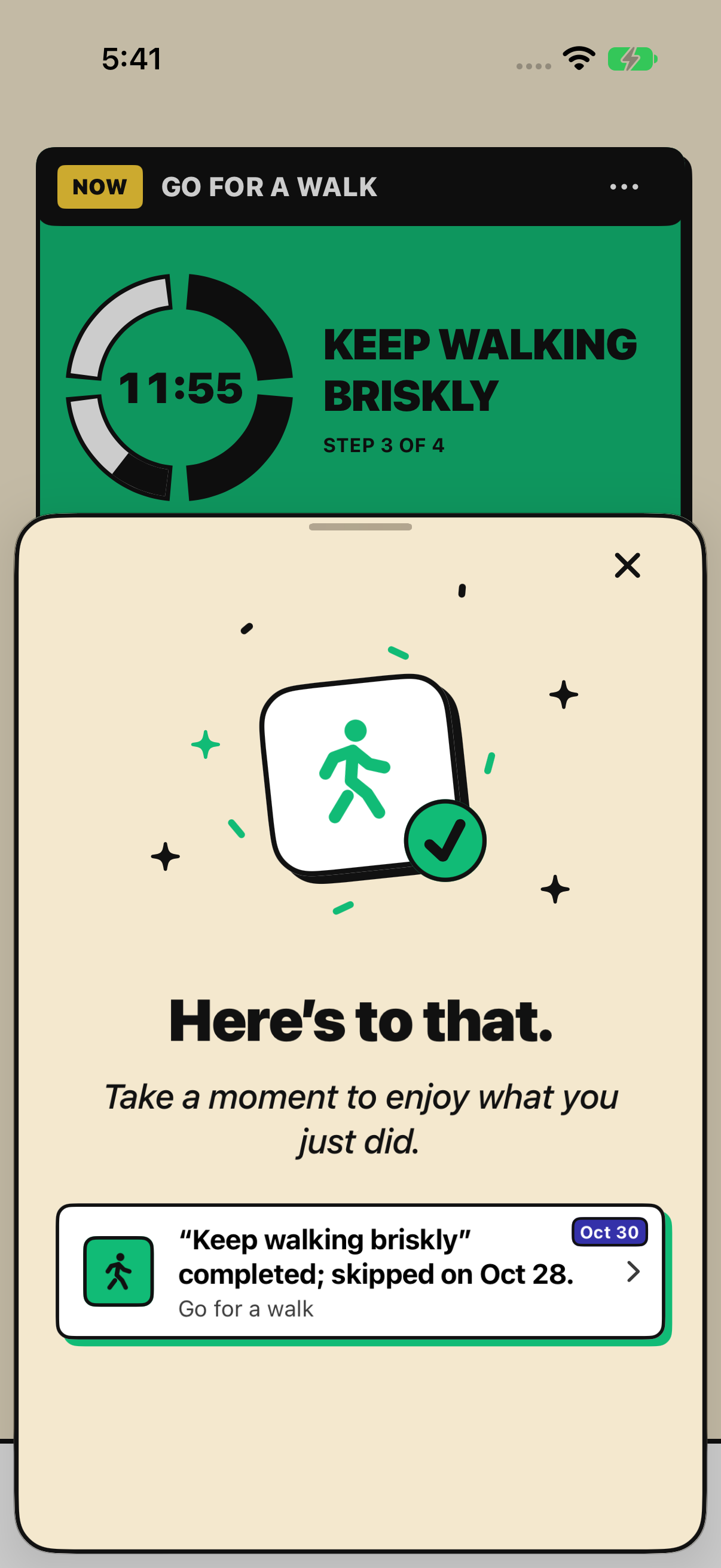
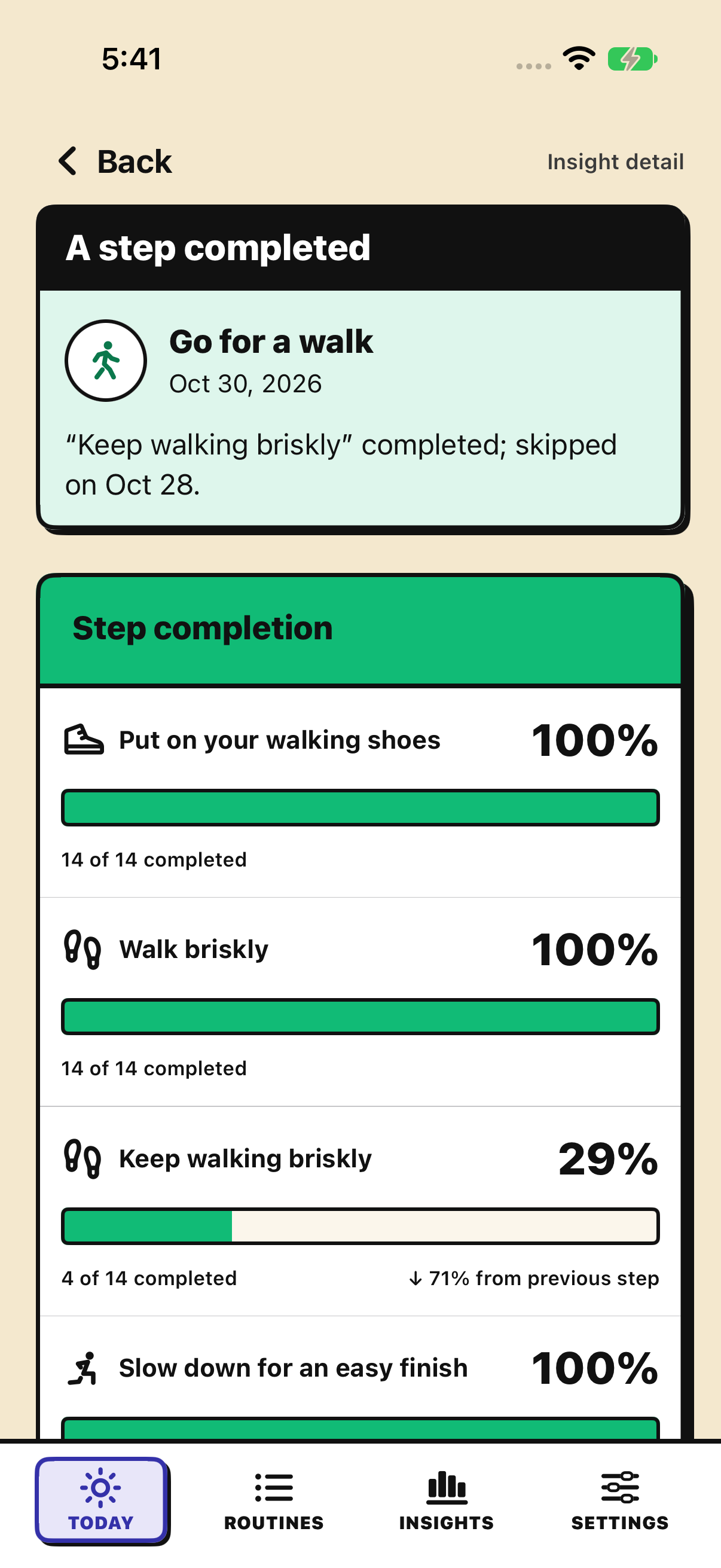
Follow a walk, see where the timing went off plan, and add your own context to decide what to change next time.
01 / Start
Start your routine with a tap on your Lock Screen, without opening the app.
02 / Follow
Break your routine into steps so it can flex with your day. Skip a step when you need to—every attempt becomes a record you can learn from.
03 / Observe
Planned for 6–7 PM. Started at 7:10. Smart Insights points out the mismatch; your timing chart adds the context.
04 / Adjust
Other plans got in the way? Record what fits, then try a time with fewer conflicts.
More features
Your days, your timing, and the context behind your routines.
Look back at the days you made progress across your routines.
Compare a week of actual starts and finishes with your planned time window.
Look back at the reasons you recorded—what got in the way and what helped.
Look back at changes in timing, progress and steps across your routines.
RightLoop connects ordered routines with Smart Insights to help you find what to improve. We focus on progress, rather than a perfect streak: skip steps when needed and keep what you did.
Yes. The RightLoop beta is free to use.
RightLoop is available for iPhone, with Home Screen widgets and Live Activities.
Your routines, execution history, notes and insights are stored on your device. Apple separately handles TestFlight diagnostics and beta feedback. Website beta applications are stored separately; see our Privacy Policy.
RightLoop is for people exploring Atomic Habits, small steps and flexible habits, including anyone returning to a habit tracker after a broken streak.
For people with ADHD or anyone facing distraction, procrastination or difficulty getting started, clear steps, timers and partial-progress records offer a way to organize everyday routines.
Students, remote workers and freelancers can organize study, language learning and focused work.
Parents, caregivers and people with changing schedules can make room for self-care, housework and morning routines.
For those seeking habit coach-style feedback, charts and Smart Insights help you spot patterns in your records and choose what to adjust next.